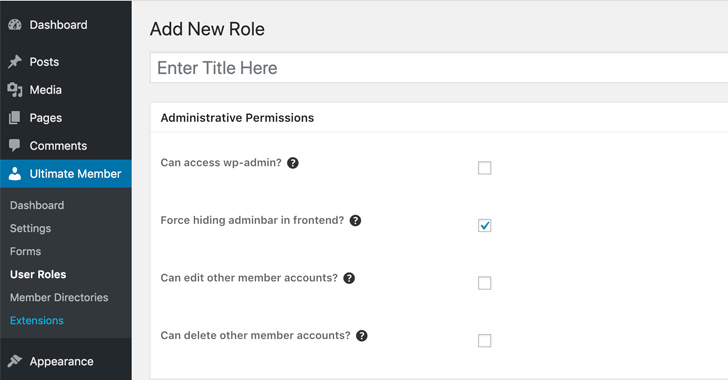
WordPress, one of the most popular content management systems (CMS) on the internet, has recently become a target for hackers due to an unpatched plugin flaw. This vulnerability allows malicious actors to create secret admin accounts on compromised websites, gaining complete control over the affected WordPress installations.
The flaw resides in a specific plugin, which we will not name in order to prevent further exploitation. However, it is crucial for website owners and administrators to be aware of the risks associated with this vulnerability and take immediate action to protect their websites.
How the Exploit Works
The exploit takes advantage of a security weakness in the unpatched plugin, allowing attackers to bypass the normal authentication process and gain administrative privileges on the WordPress site. By exploiting this flaw, hackers can create hidden admin accounts that remain undetected to website owners and regular users.
Once the attackers gain control over the WordPress installation, they can carry out various malicious activities, such as injecting malware, defacing the website, stealing sensitive information, or using the compromised site for further attacks, including launching phishing campaigns or distributing malicious software.
Protecting Your WordPress Website
To safeguard your WordPress website against this exploit, follow these essential steps:
- Update All Plugins and Themes: Ensure that all plugins and themes installed on your WordPress site are up to date. Developers often release security patches to address vulnerabilities, so regularly updating your software is crucial.
- Remove Unnecessary Plugins: Eliminate any unused or unnecessary plugins from your website. The fewer plugins you have, the smaller the attack surface for potential hackers.
- Enable Automatic Updates: Enable automatic updates for WordPress core, plugins, and themes whenever possible. This ensures that you receive the latest security fixes as soon as they become available.
- Monitor for Suspicious Activity: Regularly review your website's access logs and monitor for any suspicious activity or unrecognized admin accounts. If you detect anything unusual, investigate further and take immediate action to mitigate the risk.
- Implement Strong User Authentication: Enforce strong passwords for all user accounts on your WordPress site. Consider implementing two-factor authentication (2FA) for an extra layer of security.
- Backup Your Website: Regularly backup your WordPress website, including both the files and the database. In the event of a compromise, having a recent backup can help you restore your website to a secure state.
It's important to note that these steps are general best practices for securing your WordPress site, and they should be followed regardless of whether you are currently affected by the unpatched plugin flaw.
Conclusion
The discovery of hackers exploiting an unpatched WordPress plugin flaw to create secret admin accounts is a significant concern for website owners. The consequences of a compromised website can be severe, leading to reputational damage, financial losses, and potential legal liabilities.
By staying informed about the latest security vulnerabilities and promptly implementing security measures, website owners can significantly reduce the risk of falling victim to such attacks. Regular updates, diligent monitoring, and following best practices for WordPress security are crucial steps in maintaining the integrity of your website.
Remember, the responsibility to secure your WordPress site rests in your hands. Act now to protect your online presence and safeguard your users' data.
Comments
Post a Comment